Canva Burger Sandwich Cookbook: The Ultimate Recipe Template for Food Bloggers
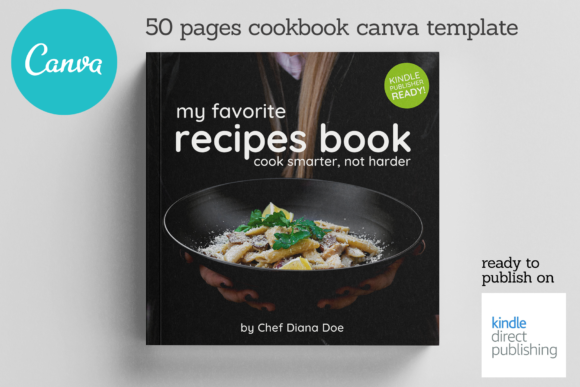
For any food creator, the moment you perfect a recipe is only half the battle. The real challenge often begins when you try to share it. How do you transform a list of ingredients and steps into something that feels as good as the dish tastes? How do you create a cohesive, professional-looking cookbook or magazine without spending a fortune on design software or a freelance designer? This is the exact problem the Canva Burger Sandwich Cookbook template is built to solve. It’s a complete, 20-page digital solution designed to help chefs, food bloggers, and Instagram creators package their culinary knowledge with style and confidence.
More Than a Template: A Visual Identity for Your Recipes
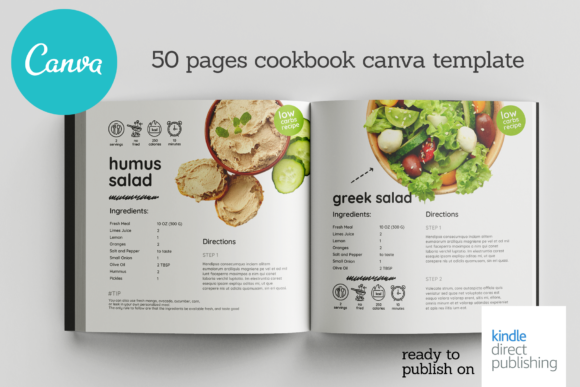
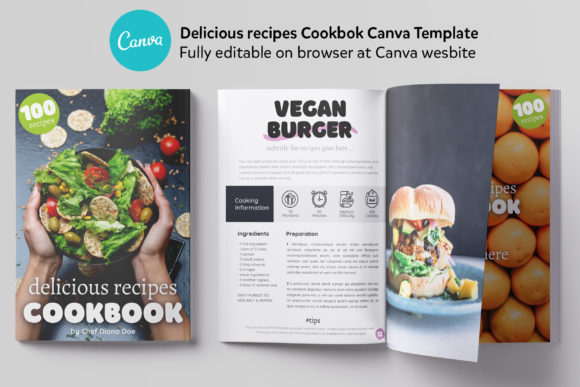
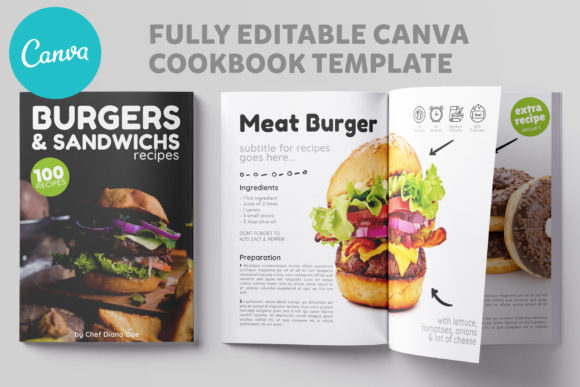
At its core, the Canva Burger Sandwich Cookbook is a beautifully structured design asset. Its visual personality is clean, modern, and appetizing. The layouts use generous white space, allowing your food photography to take center stage without visual clutter. The typography choices within the template strike a careful balance—pairing a strong, readable sans serif font for headings with a classic serif font for body text. This combination creates a clear visual hierarchy, guiding the reader’s eye from the title of a recipe to the ingredients and finally to the instructions. The overall appeal is one of approachable professionalism; it feels like a curated magazine spread, not just a basic recipe card. This makes it perfect for building a recognizable brand identity, whether you’re a home baker sharing family recipes or a nutrition coach creating meal plans for clients.
Practical Applications: From Digital Downloads to Client Gifts
The true value of this template lies in its versatility. It’s not just for making a single cookbook. Think of it as a foundational editorial design system for your food content. Here’s where it works best:
- Lead Magnets & Digital Products: Create a stunning, free 5-recipe PDF to grow your email list, or design a full-length digital cookbook to sell on your website. The professional layout instantly elevates perceived value.
- Client Deliverables: For personal chefs, nutritionists, or fitness coaches, packaging a meal plan or recipe collection in this format adds a layer of professionalism and care that clients notice and appreciate.
- Content Repurposing: Use the 6 unique recipe layouts to create consistent, branded graphics for your Instagram stories, Pinterest pins, or blog posts. The A4 size is also perfect for creating print-at-home recipe cards for your audience.
- Portfolio & Branding: Aspiring food photographers or stylists can use it to showcase their work in a cohesive, publication-ready format, strengthening their portfolio and brand perception.
The template’s structure—complete with a cover, editorial page, "about the author" section, and table of contents—provides a complete narrative arc for your project, making it feel finished and intentional.
How to Choose and Use This Template Effectively
Getting started is straightforward, but a few key considerations will ensure you get the most out of it. First, evaluate your project’s fit. The Canva Burger Sandwich Cookbook excels for projects centered on visual storytelling and clear instruction. If your recipes rely on complex, multi-step processes, the clean layout will help keep things organized. For highly artistic or avant-garde culinary content, you might use the template as a base and customize the color palette further to match your specific aesthetic.
Next, consider your font pairing. While the template includes excellent typographic choices, Canva allows you to easily swap fonts. If you have a brand font, use it for headings to maintain consistency. A good rule of thumb is to pair a display font or handwritten font for titles with a highly readable body font. Always prioritize readability—your audience needs to easily follow the recipe while cooking. Test your edits on both a desktop screen and a mobile device, as many will view your cookbook on their phones.
Finally, remember the licensing. This is a commercial font and template package, meaning you can use the final, edited designs you create for both personal and commercial purposes, such as selling the cookbook. You cannot, however, resell the original, unedited template files themselves. This makes it a valuable, one-time investment for your creative business.
Building Consistency and Audience Engagement
One of the most significant, yet overlooked, benefits of using a structured template like this is the consistency it brings to your brand. Every recipe page, every introduction, every author bio shares the same design language. This repetition builds recognition. When a follower sees one of your recipe graphics on social media, they’ll immediately connect it to your brand, even before reading the text. This visual consistency fosters trust and makes your content more memorable in a crowded digital space.
Moreover, a well-designed template enhances audience engagement. A cluttered, poorly formatted recipe can be frustrating to follow. The clear layout of the Canva Burger Sandwich Cookbook reduces cognitive load, making your content more accessible and enjoyable to use. When people have a positive experience with your content—when it’s easy to read, beautiful to look at, and simple to follow—they’re more likely to save it, share it, and come back for more. It transforms your recipe from a simple list of instructions into a valued resource and a piece of your brand’s story.
In the end, this template is more than just pages in a digital file. It’s a tool for communication. It helps bridge the gap between your culinary passion and your audience’s experience, allowing you to share your recipes with the clarity, style, and professionalism they deserve. For the creator serious about building a food-centric brand, it’s a practical and powerful starting point.